Physical Address
304 North Cardinal St.
Dorchester Center, MA 02124
Physical Address
304 North Cardinal St.
Dorchester Center, MA 02124

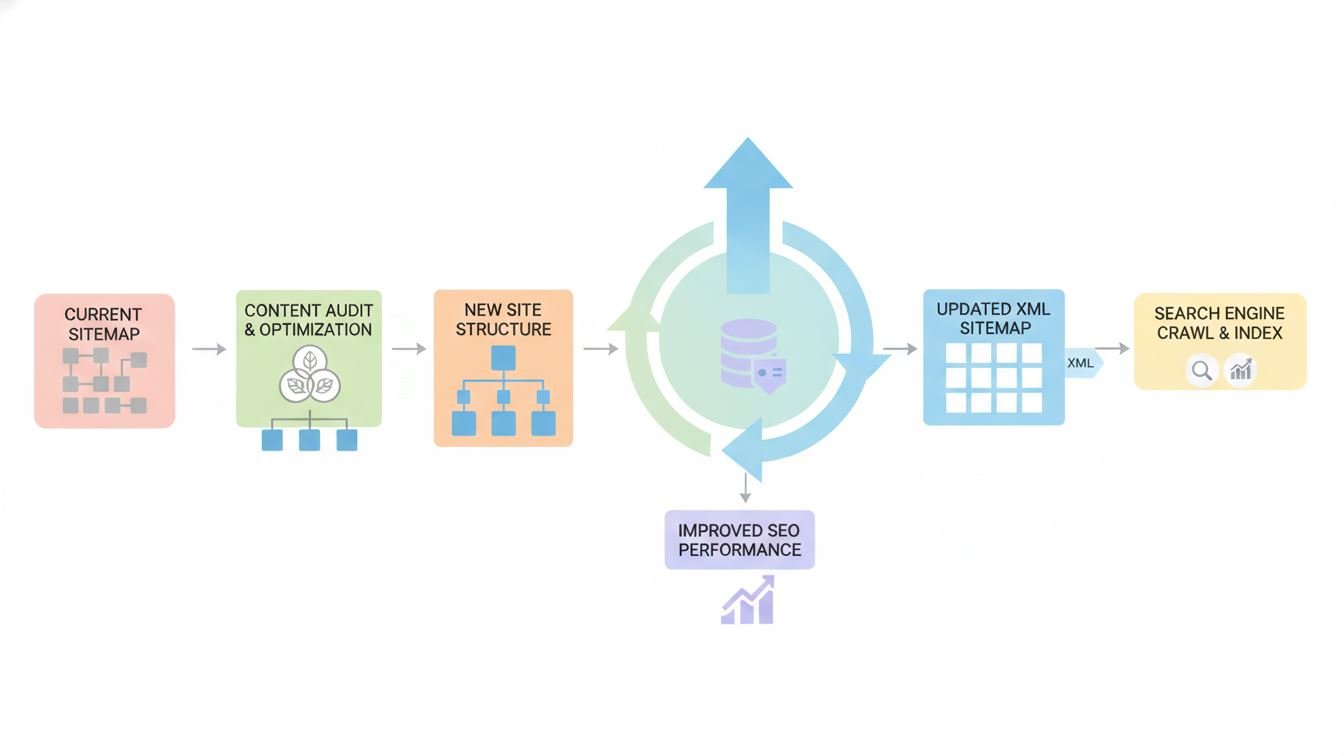
When it comes to SEO and site architecture, the humble sitemap often stays under the radar. Yet, it’s one of the linchpins that guides search engines through your website’s maze. Think of a sitemap as your digital roadmap — a way for bots to discover, crawl, and index your pages efficiently. But here’s the catch: just creating a sitemap isn’t enough. Keeping it updated is where the magic happens.
Websites are rarely static; pages get added, moved, or removed regularly. If your sitemap lags behind these changes, search engines might miss important updates or waste time on obsolete links. That’s why implementing sitemap updates is not just best practice — it’s essential for maintaining your site’s visibility and performance.
At its core, a sitemap is an XML file listing the URLs of your website along with metadata about each URL. This metadata can include when the page was last updated, how often it changes, and the relative importance of each page compared to others.
Search engines like Google and Bing use this file as a reference to crawl your content more intelligently. Instead of blindly wandering around, bots get a prioritized itinerary, enabling them to focus on what’s new or recently changed.
Ignoring these triggers can cause your sitemap to become stale, which risks diminished crawl efficiency and slower indexing.
Updating a sitemap might sound technical, but modern CMS tools and plugins simplify the process. Here’s how you can approach it:
Imagine running an online store that adds new products weekly and phases out older items. If your sitemap isn’t regularly updated, new product pages might remain invisible to search engines for weeks, delaying potential sales. By automating sitemap updates upon product publishing, you ensure fresh items get indexed promptly, helping customers discover your latest offerings faster.
Aside from speeding indexing, keeping your sitemap current helps you:
Many site owners assume that once a sitemap is set, it’s “done.” In reality, several common mistakes can hinder your efforts:
In the ever-evolving landscape of web content, treating your sitemap as a “set it and forget it” item is a missed opportunity. Implementing updates isn’t just about SEO mechanics — it’s about ensuring your site’s story is told clearly and promptly to search engines.
By weaving sitemap updating into your regular site maintenance routine, you create a smoother pathway for discovery, indexing, and ultimately, higher rankings. Keep in mind, SEO success is a marathon, not a sprint, and your sitemap is one of the steady companions along the way.