Physical Address
304 North Cardinal St.
Dorchester Center, MA 02124
Physical Address
304 North Cardinal St.
Dorchester Center, MA 02124

When we talk about website navigation, it’s easy to picture those classic menus and links guiding visitors around a site. But as AI technologies increasingly interact with web content—whether through voice assistants, chatbots, or search algorithms—navigation takes on a new role. It’s not just for human users anymore; it needs to speak the language of machines, too.
Creating AI-friendly navigation means structuring your site architecture so that both people and automated systems can find, interpret, and use your content effectively. This approach doesn’t just improve usability; it boosts your SEO and enhances how your site performs across a growing array of digital touchpoints.
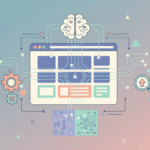
At its core, AI-friendly navigation is about clarity and context. Artificial intelligence systems rely heavily on understanding relationships between pages and the hierarchy within your website. This requires thoughtfully designed menus, internal linking, and semantic cues.
Think of it like giving a detailed map to both your visitors and an ever-more-curious robot exploring your digital terrain. Without this map, AI can get lost or misinterpret content, which means missing out on ranking opportunities or delivering subpar user experiences.
<nav>, proper headings, and lists helps machines differentiate between navigation menus and content.AI, especially search engine crawlers and natural language processors, interpret navigation as a roadmap to your content. They look at how pages connect and the terms used in menus to build an understanding of your site’s themes and priorities.
For example, when Googlebot crawls a website, it doesn’t just follow links aimlessly—it tries to figure out the intent behind each page and how those pages relate to one another. Structured navigation supports this by signaling which pages are foundational and which are detailed subtopics.
Imagine a tech blog structured with categories like “Artificial Intelligence,” “Gadgets,” and “Software Reviews.” If the navigation menu simply lists these categories without submenus, AI might struggle to understand which articles belong under each umbrella. However, if the site clearly nests specific article links under these categories using semantic HTML and descriptive anchors, AI can better comprehend the content clusters and display relevant snippets or rich results in search.
Beyond improved rankings and enhanced search snippets, there are practical upsides to this approach that often go unnoticed:
While aiming for AI-friendly navigation, some site owners might overcomplicate or misunderstand the process. For instance, stuffing menus with excessive keywords hoping to game AI systems often backfires by confusing both users and algorithms.
Another frequent mistake is ignoring the natural flow from a user’s perspective in favor of purely technical structures. AI systems are getting smarter at mimicking human patterns, so navigation that feels clunky or unintuitive can still hurt your SEO.
Finally, neglecting mobile navigation is a trap. AI evaluates your site across devices, and a cumbersome mobile menu undermines your site’s overall evaluation.
Focus on creating navigation that is simple, clear, and organized around your key topics. Use natural language in anchor texts and ensure your HTML markup conveys the structure properly. Test your navigation from both a human and AI perspective—tools like Google’s Search Console and structured data testing tools can help identify issues before they become problems.
In the evolving landscape of the web, navigation isn’t just a user convenience—it’s a crucial signal that helps AI understand your content’s value and context. When done right, AI-friendly navigation creates a seamless connection between how humans browse and how machines interpret your site.
By paying attention to hierarchy, language, and structure, you’re not just boosting your SEO; you’re future-proofing your site for whatever innovations AI might bring next. So next time you rethink your site’s navigation, remember it’s more than a menu—it’s the foundation of your site’s intelligent conversation with the digital world.